Open a map app, and a blue dot lands right on where you are.
It looks like a given, doesn’t it?
But it’s roughly right even underground or inside a building. How is that dot decided?
I’ll sort it out following a Keitai Watch column (by Masanobu Fujioka, September 30, 2026).
Bottom line: not one technology, but cross-checking five clues
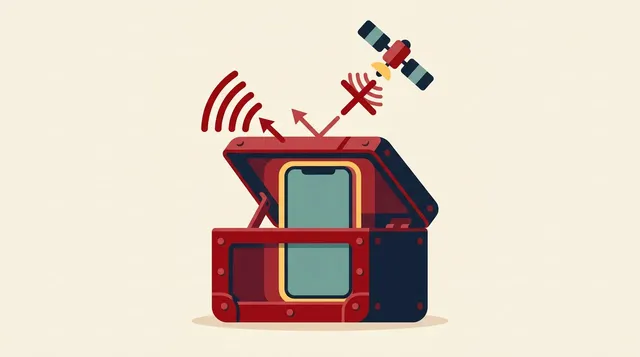
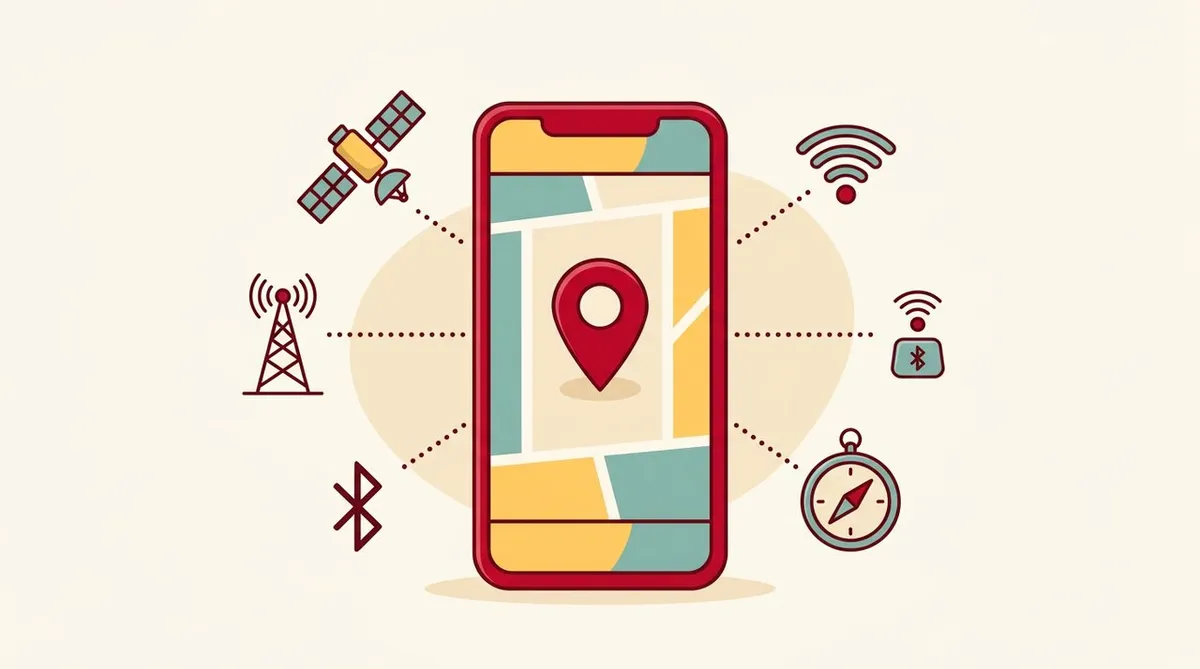
Your phone cross-checks the results, behind the scenes in the OS, of satellites, cell towers, Wi-Fi, Bluetooth and built-in sensors.
Think of it as a detective. One eyewitness is unreliable, but stack several and the location narrows down.
The foundation: trilateration
- It uses the distance to reference points whose positions are known
- With two points, two candidate locations remain, so a third point narrows it to one
- Distance is found by measuring, in nanoseconds, the time it takes a radio wave to arrive (radio waves travel about 300,000 km per second)
The five clues
① Satellites (GNSS): a few meters outdoors
- “Multi-GNSS,” which uses GPS, Michibiki, Galileo, GLONASS and BeiDou together, is standard
- At least 4 satellites are needed to calculate a position. The error in the phone’s clock becomes the fourth unknown. A clock error of 1 microsecond causes an error of about 300 m
- The weak points are reflected waves in city areas with tall buildings, and delays caused by the ionosphere and so on
- The countermeasure is dual-band with the L1 and L5 bands. L5 can separate direct waves from reflected waves. Support is mainly in high-end models and is spreading to mid-range ones
- A-GPS: sends information such as the cell number of the cell tower to a server and receives satellite orbit information. Without it, the first fix takes a few minutes; with it, 1 to 2 seconds
② Cell towers: coarse, but fast and low-power
- Positioning by cell number is coarse, with accuracy of roughly several hundred meters to several kilometers. But it can be obtained within 1 second and uses little power
- On 4G, there is a mechanism (Timing Advance) that narrows the distance from the cell tower into bands of about 78 m. It is known only during communication and isn’t used much in map apps. It is used for things like narrowing down the location of an emergency call
- In city areas with tall buildings or indoors, reflected waves can make the distance look farther than it really is
③ Wi-Fi: strong indoors and underground
- It matches the unique identifier of an access point against databases collected by Apple and Google. You don’t need to connect
- The range is within a radius of several tens of meters. From the signal strength of 3 or more, it can narrow down to roughly several tens to a dozen or so meters
④ Bluetooth (BLE) and UWB: short range
- BLE beacons capture short distances of several meters to a dozen or so meters. They require a dedicated facility app
- Lost-item tags work by gathering their location in the cloud via other people’s phones. They change their identifier periodically to protect privacy
- UWB, under good conditions, has about 10 cm accuracy and can also tell direction
⑤ Built-in sensors: adding up the steps you walked
- Acceleration (steps and stride), gyro (change in direction) and geomagnetism (heading) are used to add up movement from the last confirmed point
- Errors build up. Walking for a few minutes without radio correction can put you off by several tens of meters
How does it know the height (which floor)?
- GNSS altitude error is 1.5 to 2 times the horizontal error or more. Indoor Wi-Fi and Bluetooth can also have trouble telling floors apart
- A barometric pressure sensor helps. It uses the fact that air pressure drops by about 1.2 hPa per 10 m of elevation. It can detect height differences of even a few tens of centimeters, and estimates the floor from the difference from a reference floor
- Air pressure also changes with the weather. So there is a method that checks the pressure at a ground reference point via the cloud, and the error is said to be within 2 to 3 m
More advanced technologies
- RTK: compares against a reference station whose position is known to narrow down to a few centimeters. Used in self-driving, farm machinery, drones and so on. The three major carriers offer services for businesses
- MBS: places ground-based transmitters on building rooftops or cell towers and sends satellite-like signals at high power. They penetrate walls and reach indoors and underground. Current commercial phones do not support it, and deployment is at the planning stage
With 5G and 6G
This is what the column describes.
- In 5G, measuring the time a radio wave takes to arrive and its angle of arrival is standardized. With millimeter wave and Massive MIMO, the aim is accuracy of roughly several tens of centimeters to 1 m inside factories and commercial buildings
- For 6G (with commercial launch targeted around 2030), “sensing,” which scans the surroundings while communicating, is under study. The aim is to estimate the presence, distance, speed and shape of people and objects that aren’t carrying a device
I also touch on millimeter wave and Massive MIMO in the millimeter wave article and the physical AI article.
Location and its relation to battery and signal
Using location drains the battery. The article on why the battery drains also touches on location settings. The basics of cell towers and radio waves are covered in this article about smartphone radio waves and cell towers.
Summary
- The blue dot is the result of cross-checking satellites, cell towers, Wi-Fi, Bluetooth and sensors
- Satellites handle accuracy of a few meters outdoors, and Wi-Fi and the barometric pressure sensor fill in indoors and underground
- Positioning by cell tower is coarse, but fast and low-power. It is also used to narrow down emergency call locations
- With 5G and 6G, communication itself becomes a tool for “location and sensing”
Things not written (specific outdoor satellite error figures, power consumption comparisons, accuracy by model or carrier, and so on) are not in this column.
Source: Keitai Watch
This article contains affiliate advertising. If you apply for a product or service through links on this site, we may receive compensation from partner companies. Additionally, the operator is an employee of Rakuten Group and may receive compensation through an employee referral program. Article content and evaluations are based on the operator's actual experience and research, regardless of advertising. For details, see the Disclaimer & Affiliate Disclosure. Disclaimer & Affiliate Disclosure
This article contains machine translation. For official terms, please refer to the multilingual pages on the official Rakuten Mobile website.
If you have concerns about Rakuten Mobile's coverage area or signal conditions, you can inquire through the official signal improvement survey request form .