Living in Japan as a foreigner comes with its fair share of paperwork and bureaucratic hurdles. Getting a SIM card should not be one of them. Rakuten Mobile is one of the most affordable and foreigner-friendly mobile carriers in Japan, offering unlimited data plans starting at just 1,078 yen per month. If you have been putting off setting up a Japanese phone plan because you are worried about the language barrier or confusing requirements, this guide will walk you through everything you need to know.
What You Need Before Signing Up
Before you start the application process, make sure you have the following two essential documents ready. Without these, you will not be able to complete your registration.
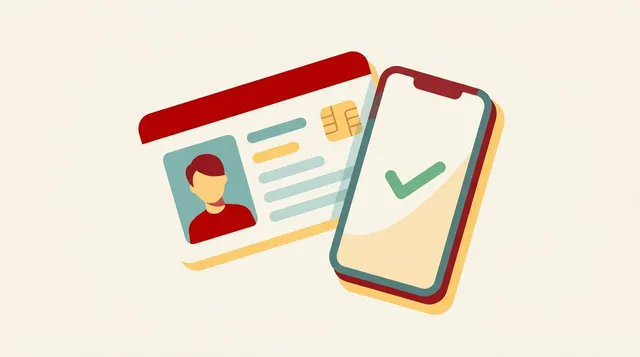
Residence Card (在留カード): This is the most important piece of identification for foreigners living in Japan. Your residence card proves your legal status in the country and is required for identity verification. Make sure your card is current and not expired. You will need to upload a photo of both the front and back of your card during the application process, so have it nearby.
Credit Card: Rakuten Mobile requires a credit card for billing. A Rakuten Card is preferred and can actually save you money through Rakuten Points, but other major credit cards such as Visa, Mastercard, and American Express are also accepted. Debit cards linked to international networks may work in some cases, but a standard credit card is the most reliable option.
Once you have these two items ready, you are good to go.
Step-by-Step Signup Process
Rakuten Mobile allows you to complete the entire signup process online, which makes things significantly easier. Here is how it works:
Step 1 – Choose Your Plan Visit the Rakuten Mobile website and select the “Rakuten最強プラン” (Rakuten’s Strongest Plan). This single plan adjusts your billing based on your actual data usage, so you only pay for what you use, up to a maximum of 3,278 yen per month for unlimited data.
Step 2 – Select eSIM or Physical SIM You will be asked to choose between an eSIM and a physical SIM card. This is an important decision.
- eSIM is a digital SIM that gets activated directly on your device without any physical card. It is faster to set up, sometimes activating within minutes, and is ideal if your smartphone supports it. Most modern iPhones and Android flagship devices are eSIM compatible.
- Physical SIM is a traditional nano-SIM card that gets mailed to your address in Japan. Delivery typically takes a few days. This option is better if your phone does not support eSIM or if you prefer a tangible card you can physically handle.
If you are unsure which one your phone supports, check your device settings or look up your phone model online before proceeding.
Step 3 – Create or Log In to Your Rakuten Account You will need a Rakuten ID to apply. If you already shop on Rakuten Ichiba or use any Rakuten services, you likely already have one. If not, creating an account is free and only takes a few minutes.
Step 4 – Enter Personal Information and Upload Your Documents Fill in your name, address, and contact information exactly as they appear on your residence card. Then upload clear photos of the front and back of your residence card. Blurry or dark images will cause delays, so take your time getting a good shot.
Step 5 – Enter Payment Information Input your credit card details. If you want to maximize savings, this is a great time to get a Rakuten Card if you do not already have one.
Step 6 – Review and Submit Double-check everything and submit your application. For eSIM users, you will receive a QR code to scan and activate your line almost immediately after approval. Physical SIM users will receive their card by post.
Need Help? Free Multilingual Support Is Available
If you run into any problems during the application, or if you have questions about which plan or SIM type is right for you, free multilingual support is available. You can send a direct message on Facebook here: https://www.facebook.com/profile.php?id=61593429368166
Whether you need help in English, Chinese, or another language, the support team is there to guide you through the process step by step.
Ready to get started? Use the referral link below to sign up for Rakuten Mobile and take advantage of any current promotions: https://r10.to/hkncya
This article contains affiliate advertising. If you apply for a product or service through links on this site, we may receive compensation from partner companies. Additionally, the operator is an employee of Rakuten Group and may receive compensation through an employee referral program. Article content and evaluations are based on the operator's actual experience and research, regardless of advertising. For details, see the Disclaimer & Affiliate Disclosure. Disclaimer & Affiliate Disclosure
This article contains machine translation. For official terms, please refer to the multilingual pages on the official Rakuten Mobile website.
If you have concerns about Rakuten Mobile's coverage area or signal conditions, you can inquire through the official signal improvement survey request form .